
What is SBC (Session Border Controller)? How Does the Dinstar SBC300 Work?
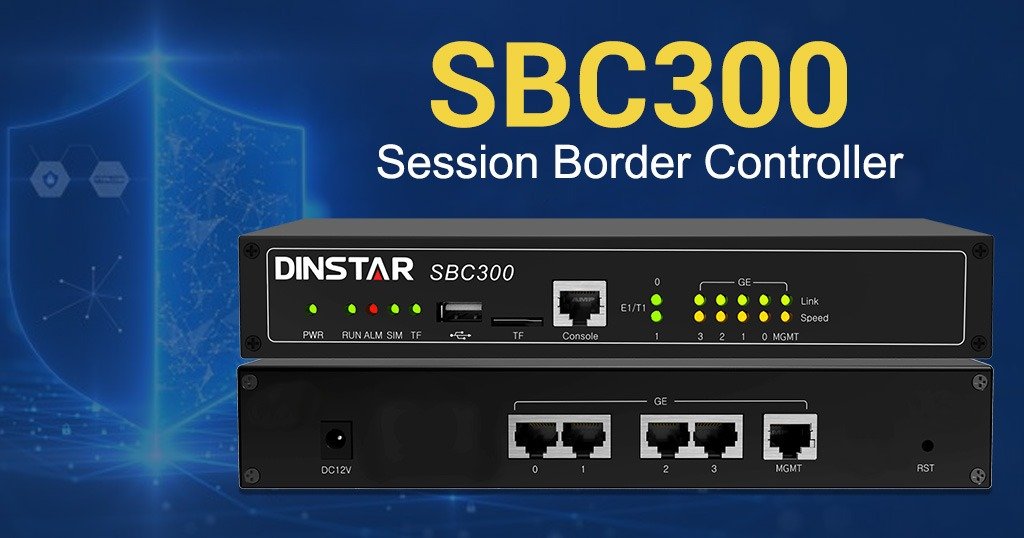
A Complete Guide by DCNET India – Master Distributor of Dinstar in India In today’s digital business environment, secure and reliable communication is essential. As organizations increasingly adopt VoIP (Voice over IP) and SIP Trunking, protecting voice networks has become just as important as protecting data networks. This is where a Session Border Controller (SBC) plays a crucial role. The Dinstar SBC300 is an enterprise-grade Session Border Controller designed to secure, optimize, and manage SIP-based voice communications. Whether you’re deploying a new IP PBX, connecting to SIP trunks, or expanding your unified communication infrastructure, the SBC300 ensures secure, high-quality, and uninterrupted voice services. As the Master Distributor of Dinstar in India, DCNET India provides genuine Dinstar products, technical expertise, and deployment support for businesses across the country. What is an SBC (Session Border Controller)? A Session Border Controller (SBC) is a specialized network device that sits between your internal communication system (IP PBX or Unified Communication platform) and external SIP service providers. Its primary role is to control, secure, monitor, and optimize all SIP-based voice and video sessions entering or leaving your network. Think of an SBC as a security checkpoint for your business communication. Every VoIP call passes through the SBC before reaching the outside world, ensuring that only authorized and secure traffic is allowed. Why Do Businesses Need an SBC? Without an SBC, enterprise VoIP networks are vulnerable to several challenges, including: The Dinstar SBC300 addresses these challenges by providing robust security, intelligent SIP routing, and seamless interoperability. How Does the Dinstar SBC300 Work? The Dinstar SBC300 acts as an intelligent gateway between your internal communication network and external SIP providers. Step 1: Call Initiation An employee initiates a call using an IP Phone, Softphone, or IP PBX. Step 2: Call Reaches the SBC300 Instead of connecting directly to the SIP service provider, the call first passes through the Dinstar SBC300. Step 3: Security Verification The SBC300 verifies: Step 4: Traffic Management The SBC300 optimizes voice traffic by: Step 5: SIP Routing The SBC intelligently routes the call to the appropriate SIP trunk or service provider while maintaining compatibility between different SIP platforms. Step 6: Secure Communication The voice session is established with encryption, enhanced reliability, and superior call quality. Dinstar SBC300 Network Architecture The SBC300 serves as the secure gateway that manages every SIP session flowing between the enterprise network and external communication services. Key Functions of the Dinstar SBC300 1. Advanced SIP Security 2. SIP Interoperability 3. NAT Traversal 4. Voice Quality Optimization 5. TLS & SRTP Encryption 6. Intelligent SIP Routing 7. High Availability 8. Load Balancing Key Benefits of the Dinstar SBC300 Who Should Use the Dinstar SBC300? The Dinstar SBC300 is ideal for: Why Choose DCNET India for Dinstar SBC300? DCNET India is the DCNET is India’s First Exclusive Official Dinstar Master Distributor Since 2012, offering genuine Dinstar communication solutions backed by expert technical support and nationwide availability. By choosing DCNET India, you benefit from: Whether you are upgrading your enterprise communication infrastructure or deploying a new SIP network, DCNET India provides the right Dinstar solution for your business needs. Conclusion A Session Border Controller (SBC) is an essential component of any modern VoIP infrastructure, providing security, interoperability, and performance optimization for SIP communications. The Dinstar SBC300 delivers enterprise-grade protection, intelligent SIP management, and exceptional voice quality, making it an ideal solution for businesses of all sizes. As the Master Distributor of Dinstar in India, DCNET India is committed to helping organizations build secure, scalable, and future-ready communication networks with authentic Dinstar products and expert support.
Dinstar SBC (Session Border Controller): Features, Use Cases & Setup
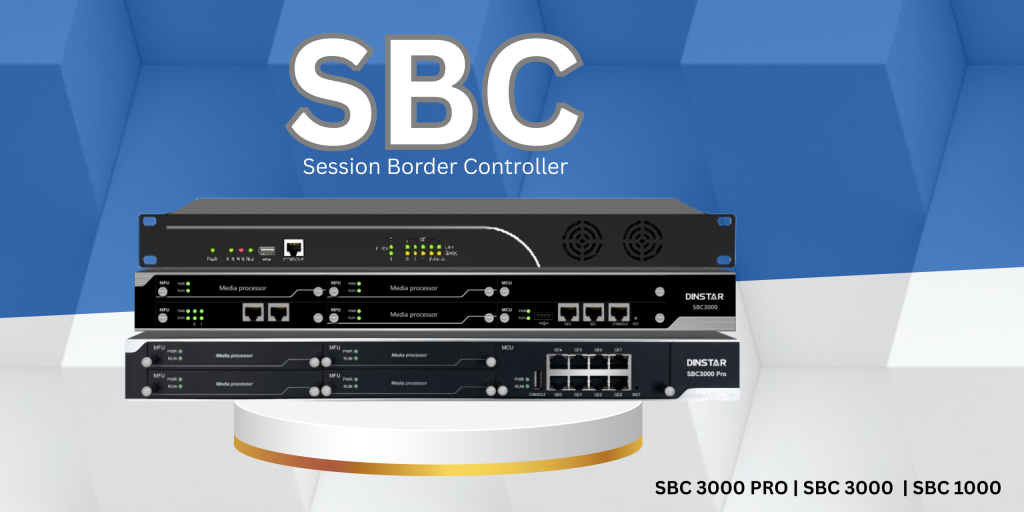
In the rapidly evolving world of VoIP and SIP-based communication, securing and optimizing voice traffic is no longer optional — it\’s a necessity. Enter the Dinstar (SBC) — a powerful network element designed to ensure security, interoperability, and quality in real-time communications. In this blog, we’ll dive deep into what the Dinstar SBC offers, its core features, top use cases, and a step-by-step setup guide. Whether you\’re an enterprise IT admin, a VoIP provider, or a systems integrator, this guide will help you understand why the Dinstar SBC should be an integral part of your network architecture. 🔍 What is a Session Border Controller? Before we dig into Dinstar\’s solution, let’s clarify the basics. A Session Border Controller (SBC) is a network device deployed at the borders of VoIP networks. It manages and controls SIP-based voice and multimedia communication sessions. SBCs ensure secure, high-quality communication between internal and external VoIP environments. 🚀 Overview of Dinstar SBC Dinstar, a globally recognized name in VoIP and unified communication, offers a range of SBCs tailored for small businesses to large enterprises and service providers. Their SBCs ensure seamless SIP interworking, NAT traversal, advanced security features, and superior voice quality. The Dinstar SBC series supports thousands of concurrent calls, offers rich protocol compatibility, and includes advanced QoS (Quality of Service) and security policies. ✅ Key Features of Dinstar SBC Here are some standout features that make Dinstar Session Border Controller a preferred choice for modern VoIP deployments: 1. Robust Security 2. Protocol Interworking 3. High Performance 4. Flexible Deployment Options 5. QoS & Traffic Management 💼 Top Use Cases of Dinstar SBC Dinstar SBCs are incredibly versatile and can be used in a wide range of scenarios. Here are some common use cases: 🏢 1. Enterprise SIP Trunking For companies switching from legacy telephony to SIP trunks, the SBC ensures secure and interoperable connection between IP PBX systems and service provider networks. ☁️ 2. Hosted PBX and Unified Communication VoIP providers offering hosted PBX or UCaaS can use Dinstar SBCs to manage and protect customer sessions across multiple tenants. 🌍 3. Cross-Platform SIP Interoperability Dinstar SBC ensures seamless communication between devices or platforms from different vendors (e.g., Avaya to Microsoft Teams). 🛡️ 4. VoIP Security & Firewall Traversal SBC acts as a SIP firewall, blocking malicious traffic and enabling NAT traversal for remote users or branch offices. 🏥 5. Contact Centers & High-Traffic Environments With built-in load balancing and failover, Dinstar SBC ensures high availability and uptime in mission-critical applications. 🛠️ How to Set Up Dinstar SBC – Step-by-Step Setting up a Dinstar SBC is a straightforward process, especially with their user-friendly GUI. Here’s a simplified overview: 🔧 Step 1: Physical or Virtual Installation 🌐 Step 2: Access Web Interface 📋 Step 3: Basic Configuration 🔐 Step 4: SIP Trunk Configuration ⚙️ Step 5: Policy & Routing Rules 📊 Step 6: Monitor & Test 🔄 Optional: Enable HA (High Availability) 📈 Why Choose Dinstar SBC? Whether you\’re building a VoIP backbone, deploying UCaaS, or securing remote communications, Dinstar SBC offers a well-balanced mix of features, performance, and value. 🧠 Final Thoughts In today’s VoIP-driven world, deploying a reliable and secure Session Border Controller is crucial. The Dinstar SBC (Session Border Controller) stands out as a feature-rich, scalable, and cost-effective solution. With strong security, wide protocol support, and intuitive management tools, it empowers businesses to build robust and secure voice infrastructures. If you’re looking to optimize SIP communication, secure your network, and future-proof your VoIP deployment — Dinstar SBC is the way to go. #SBC1000, #SBC300, #SBC3000, #dinstarsbc Let’s Talk :- +91 9880067000 , info@dcnetindia.com